For some events at the venue, the traditonal Members seating configuarion (same-seat allocation) may not be available. For these events, Stadium Members are still given complimentary access (Member Redemption Events)
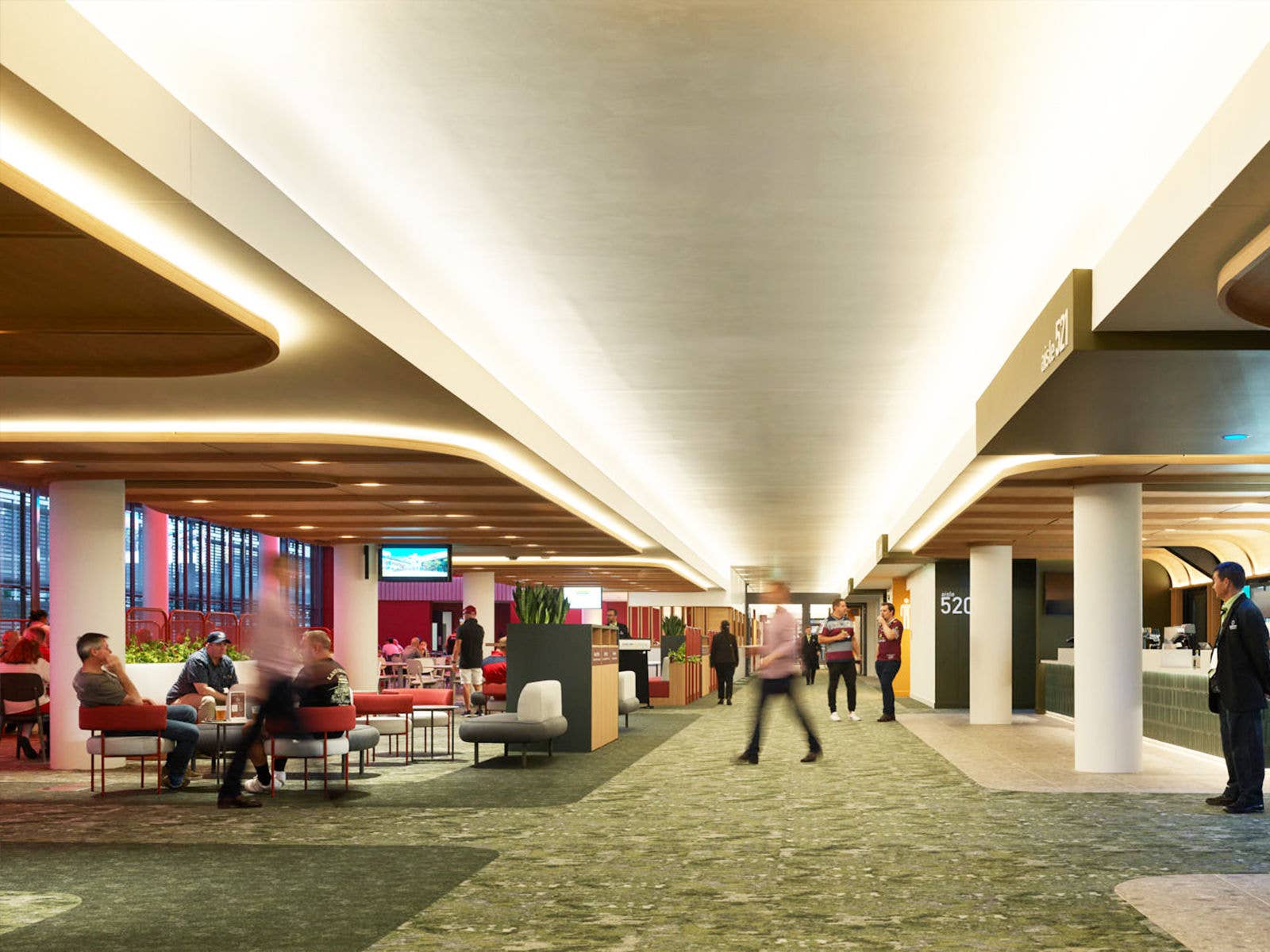
To provide the best possible facilities, all Stadium Members will be relocated to best available seating in the Eastern Grandstand on Level 5. This will provide all attending Stadium Members and their guests with Premium seating, along with access to the Emerald Lounge facilities.
Gate C will remain open for Stadium Members and their guests, where our team will be on hand at the Members Concierge Desk to assist any Members and Guests.
The 2026/2027 Brisbane Roar matches are not same seat events and Stadium Members Card's will not scan to allow entry to the venue. Members must follow the below instructions and redeem seating and use digital ticketing.
How To Redeem & Access Digital Tickets for these Events
STEP 1
Login to the Members Portal and click on the Digital Tickets tab.

STEP 2
The next page will show a – – Select Event – – drop down, click to choose the Member Redemption Event / match you would like to Access Digital Tickets for, you will also be able to use Complimentary Guest Pass tokens (where relevant) or purchase Guest Passes.

STEP 3
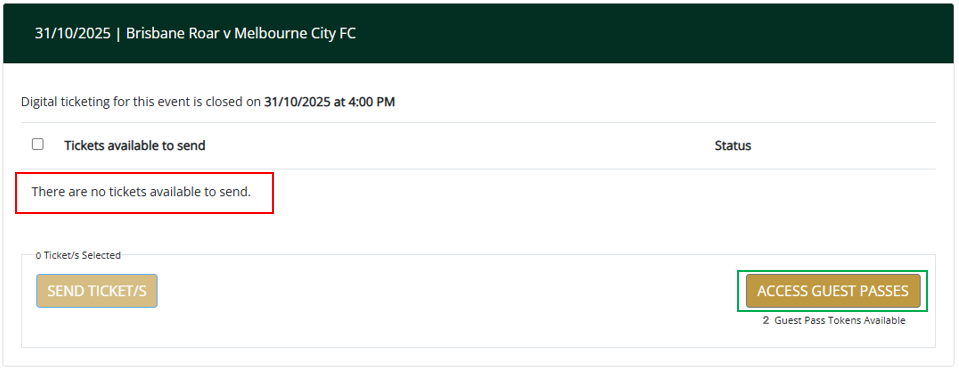
Once you have selected the event, you will note within the tickets section (shown below) that a message appears where your reserved seats would usually appear – There is no Members seat/ticket available for this event – that is because all Stadium Members are accessing best available seats and not their regular seating.
To access best available seats, click on the ACCESS GUEST PASSES button in the bottom right corner of the Digital Ticketing screen.
STEP 4
You will note on the next screen you have Bonus Tokens in your bank. These tokens are in replacement of your regular seats – so if you have 2 Membership seats, you will see 2 Bonus Tokens for the event.
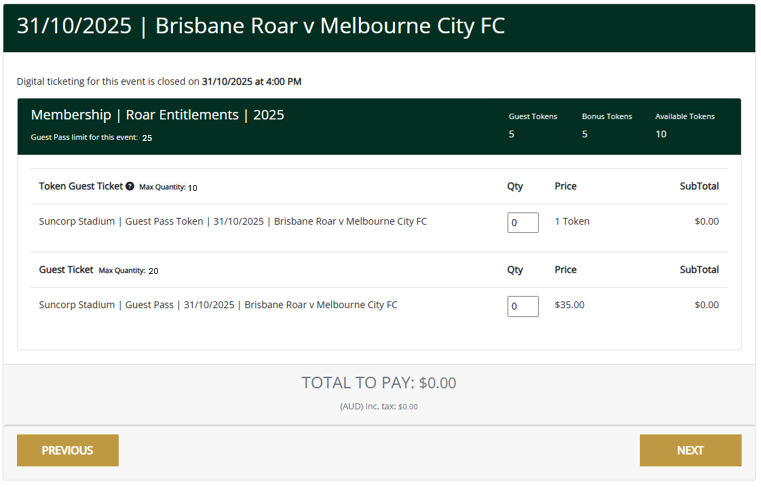
In the Token Guest Ticket area, you can use your Bonus Tokens (your regular seat replacement) plus your complimentary Guest Tokens (not relevant/valid for Women's State of Origin). Further to this, you can also purchase additional Guest Passes in the same transaction. Once you have selected the Qty, click NEXT.
STEP 5
You will then see the mapping area; you can select one of the available sections which has a blue box around it. Once you select the section, click NEXT.
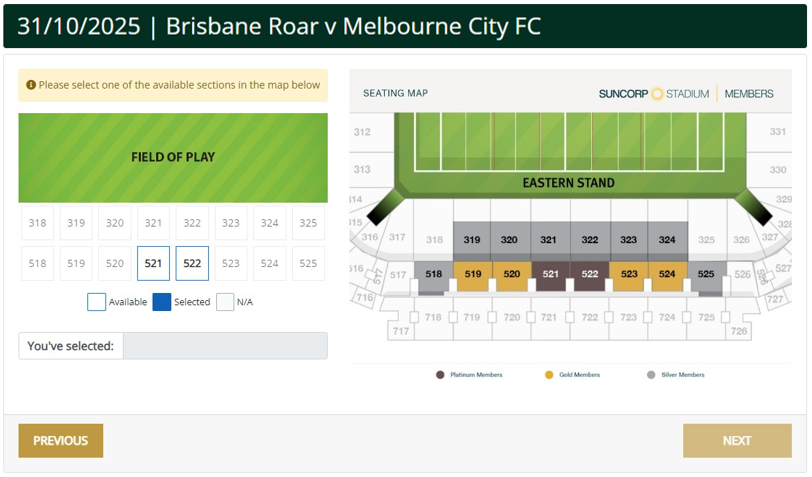
STEP 6
You will now be able to select Available seats on that sections map. Once selected the seats will highlight blue then click NEXT.
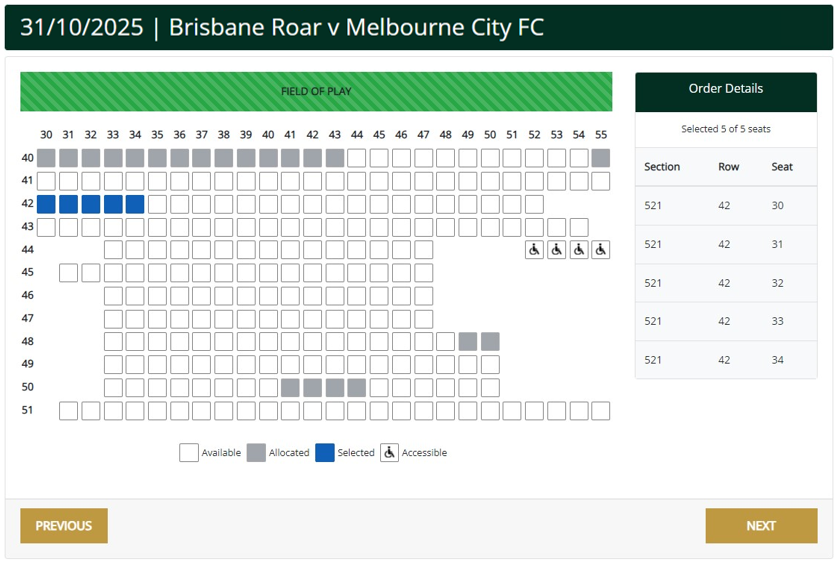
STEP 7
On the final Payment step, if you have used your Bonus Tokens (in replacement of your regular seats) or complimentary Guest Tokens, no payment will be required, and you can finalise by clicking SUBMIT. If you have purchased additional Guest Passes, an area to select Credit Card or Invoice payment will appear, complete the payment selection process and click SUBMIT.
STEP 8
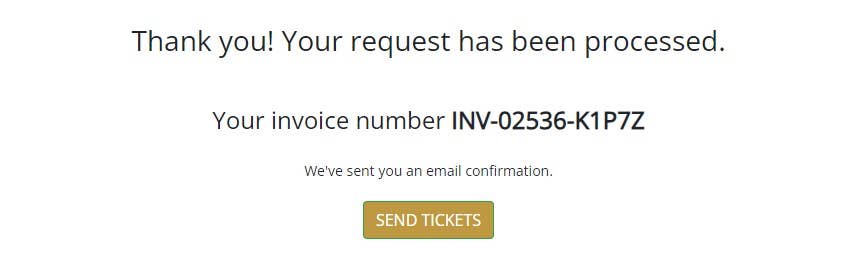
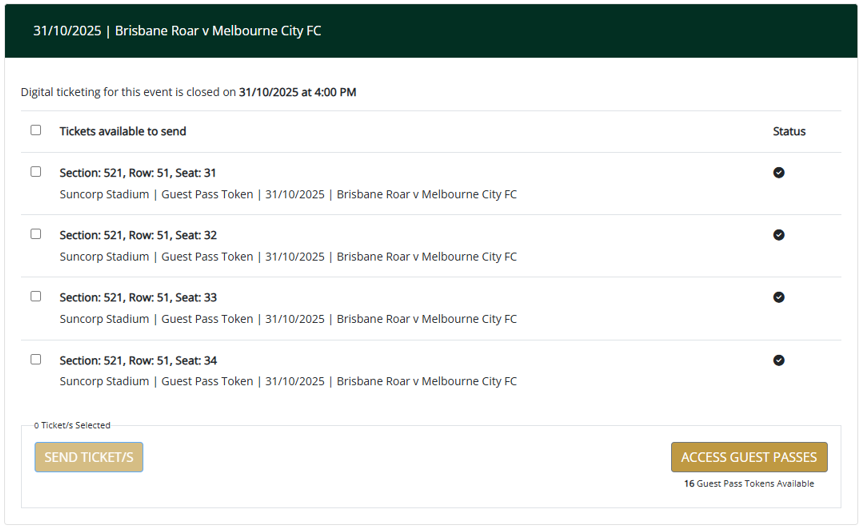
Whether payment was required, or you used tokens the final screen will present the above confirmation. You can then select SEND TICKETS to access the digital ticketing.